
I have a degree in linguistics, and I still struggle to read this: /ˌɑː.noʊˌmæt̬.oʊˈpiː.ə/
Thankfully, there's an easier way to learn how to say a word – or a phrase.
Some tools pair audio with (or even swap in audio for) phonetic transcription, so you can actually hear how a word is pronounced. Others let you hear a word used in context. The best ones feature recordings by real people, preferably native speakers.
Here are the ones I recommend – no linguistics degree required. 😉
English-only tools
Cambridge and Merriam-Webster
The Cambridge and Merriam-Webster dictionaries offer audio pronunciations alongside phonetic transcriptions for a huge number of English words. Both are trusted, expert-maintained sources, with audio recorded by professional native speakers.
Cambridge covers both British and American English, breaking pronunciations down sound by sound – useful for mastering trickier words.
Merriam-Webster (my go-to for American English) features pronunciation variants. Search for "tomato" and you'll hear how it's pronounced differently in New England versus in the Northern US, or look up "poinsettia" to hear both the standard and the nonstandard pronunciations.

Merriam-Webster shows pronunciation variants
Howjsay
Howjsay is a spoken dictionary at its core – it doesn't provide definitions, just audio pronunciations. Each pronunciation is verified, and every clip is recorded by a native speaker in a professional studio.
Best of all, you can download the audio directly: just right-click the three dots on a result and select “Save audio as.”
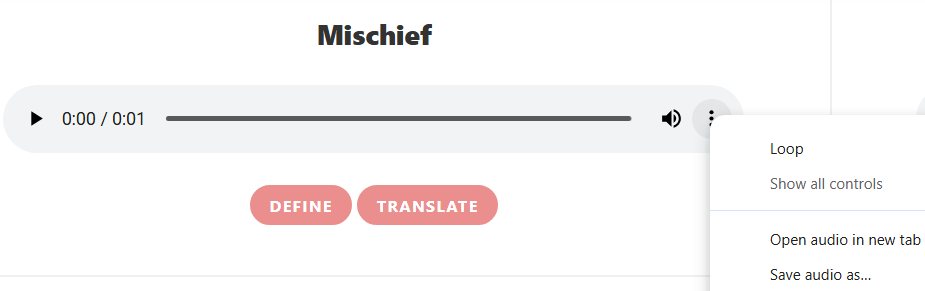
Howjsay lets you download audio pronunciations
Multilingual tools
Forvo
Forvo is crowdsourced – native speakers from around the world submit the audio pronunciations you hear on the site. You can search for words and phrases and filter the results by accent, like British English or Brazilian Portuguese.
Searching for a word often surfaces related phrases in the results too. For "missile," I got recordings of the word itself as well as the phrases "intercontinental ballistic missile" and "cruise missile."
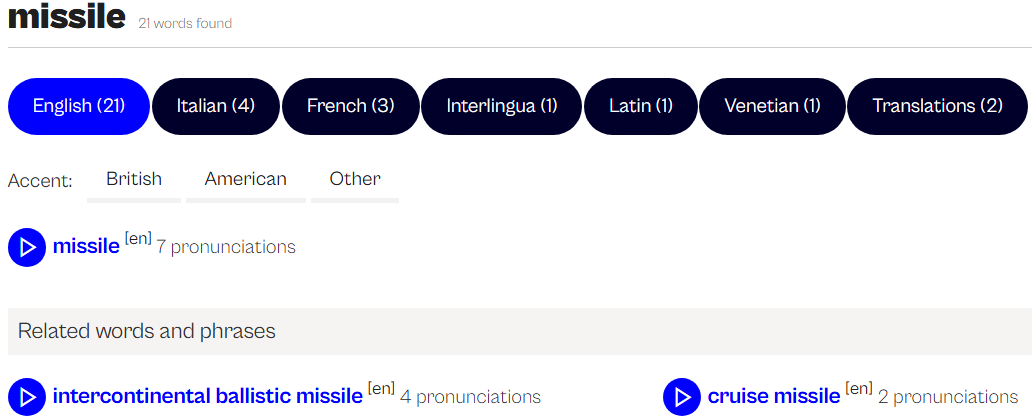
Forvo surfaces pronunciations of related phrases
A single word might have several recordings. To see a list along with useful information (including speakers’ nationalities), right-click the result and select “Open link in a new tab.” From there, you can also download the audio or add it to your favorites.
YouGlish
YouGlish works like a YouTube search engine for pronunciation: you type in a word or phrase and get real clips of people saying it in context. That makes it especially useful for words you won't find in an ordinary dictionary, like proper names, brand names, and slang.
It's available in 24 languages, including ASL, plus regional variants like British and American English, or European and Brazilian Portuguese. You can also speed up or slow down a clip, loop it, or save it.
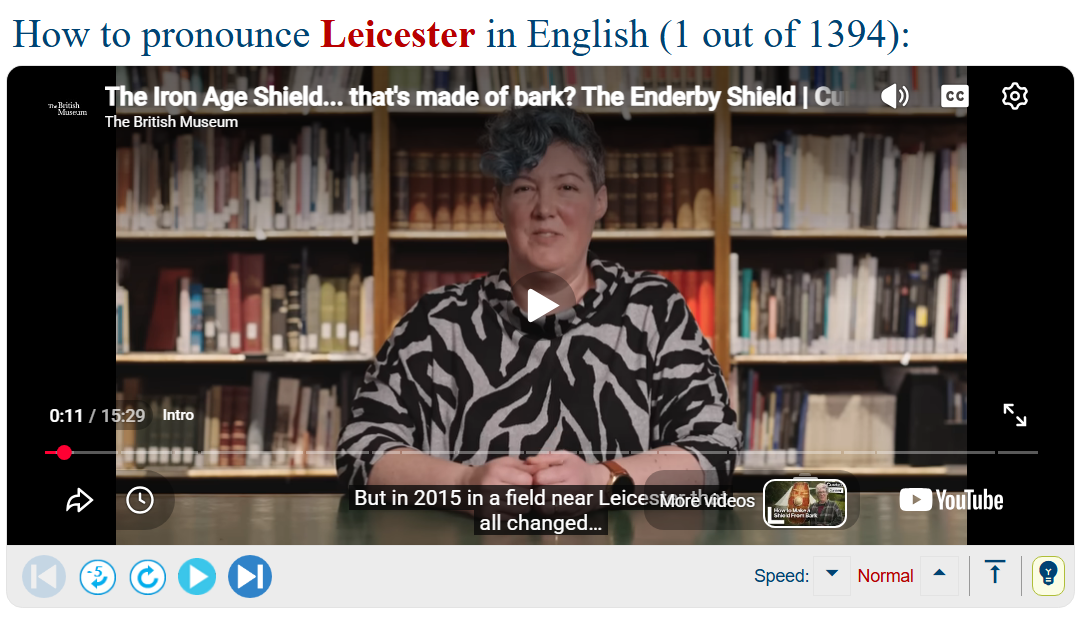
YouGlish lets you hear a word being used in the real world
💡Pro tip: Pair it with the Chrome extension PronunciAid, which lets you highlight a word and right-click to quickly pull up the Youglish results.
What to do with audio files
After downloading audio pronunciations from Forvo or Howjsay, you might want to add them to a glossary. To do that, upload the audio file to Google Drive and paste the sharing link into your document (a spreadsheet or Word doc) – or skip a couple of steps and upload it to Boothmate, a free tool for creating multimedia glossaries.
In addition to supporting image, video, and audio files, Boothmate’s flashcard-deck feature helps you test your pronunciation. Put the word in column A and its audio pronunciation in column B – Boothmate turns column A into the front of each flashcard and column B into the back.
To learn more about Boothmate, check out my previous post.
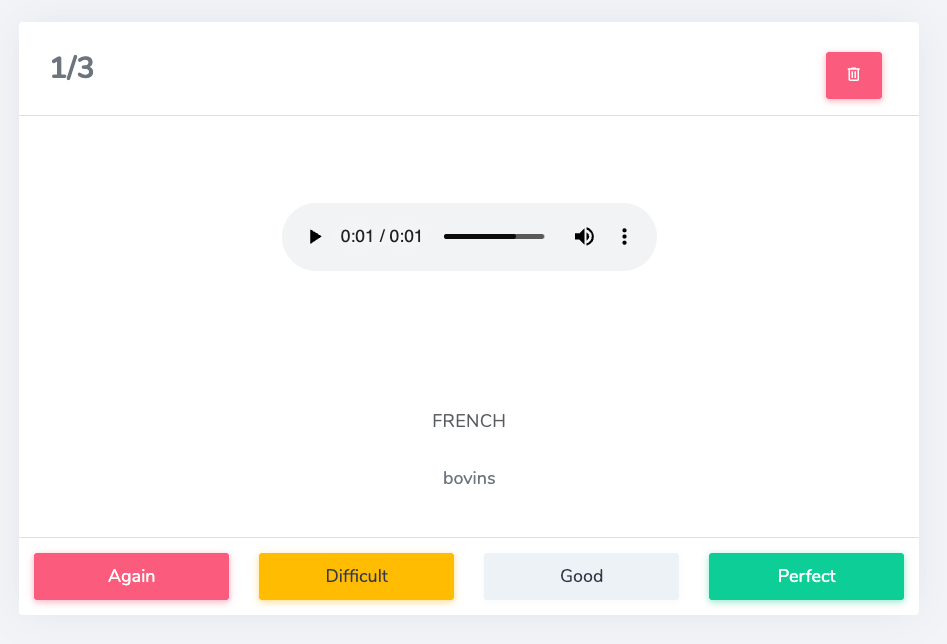
Create interactive audio flashcards to practice pronunciation with Boothmate
Quick note about Google's pronunciation feature
Google now offers an interactive pronunciation feature: search "how to pronounce [word]" and a card appears with audio and phonetic transcription. Keep in mind that the audio pronunciation is AI-generated – so, while handy, it isn't 100% trustworthy.
Liked these tips? They're based on a one-hour, member-exclusive webinar about pronunciation tools. Join the insiders community for more resources like this.